
Having trouble paying with credit/debit card via Paypal?
When purchasing a product using PayPal: After clicking on the Proceed to Paypal button you will be transferred from the Checkout page to the PayPal site to make the payment.
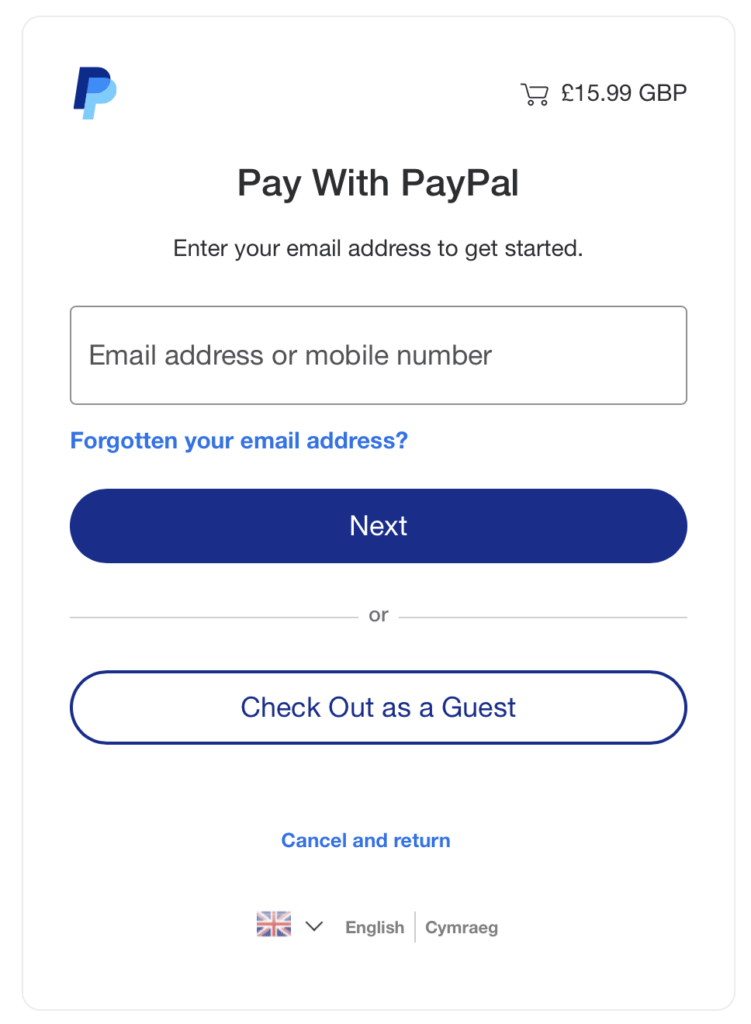
You should be directed to a page titled Pay With PayPal which asks for your Email address or Mobile number.
Ignore that and click on the Check Out as a Guest button.
You are then sent to another page which will require your email address before you can click on the Continue to Payment button
If the next screen presents you with a Pay With PayPal option (because you might already have a PayPal account), ignore that and click on the Check Out as a Guest button.
That should then take you to a page which will allow you to Pay with debit or credit card. Here you can enter your credit card details.
Note!: Scroll down the page and uncheck the Save information and create your PayPal account option, otherwise PayPal will want you to create an account before proceeding.
Once you have unchecked that option the Create Account button at the bottom of the page will change to Pay now as guest
That should allow you to complete your transaction without any need to create a PayPal account.